Retromind
Retromind is a Linux-first, portable media manager for organizing and launching your library of games, movies, books, comics and more.
Built with C# and Avalonia, Retromind combines a desktop library interface with a controller-friendly BigMode and is distributed as a portable AppImage.
Status
Retromind is still in early alpha, but regular updates are intended to preserve existing libraries and settings. In most cases, updating is as simple as replacing the AppImage. Features and data formats may still evolve, and exceptional releases can require a migration or manual adjustment. Such changes will be documented in the release notes and changelog. Keeping a current backup is recommended.
Retromind is primarily developed and tested on CachyOS. The AppImage is built on Debian 12 and requires glibc 2.36 or newer. Other Linux distributions are expected to work, but have not all been tested yet. Feedback and bug reports are especially welcome.
Why Retromind?
- Portable media library with relative paths, designed to move between Linux systems on an external drive
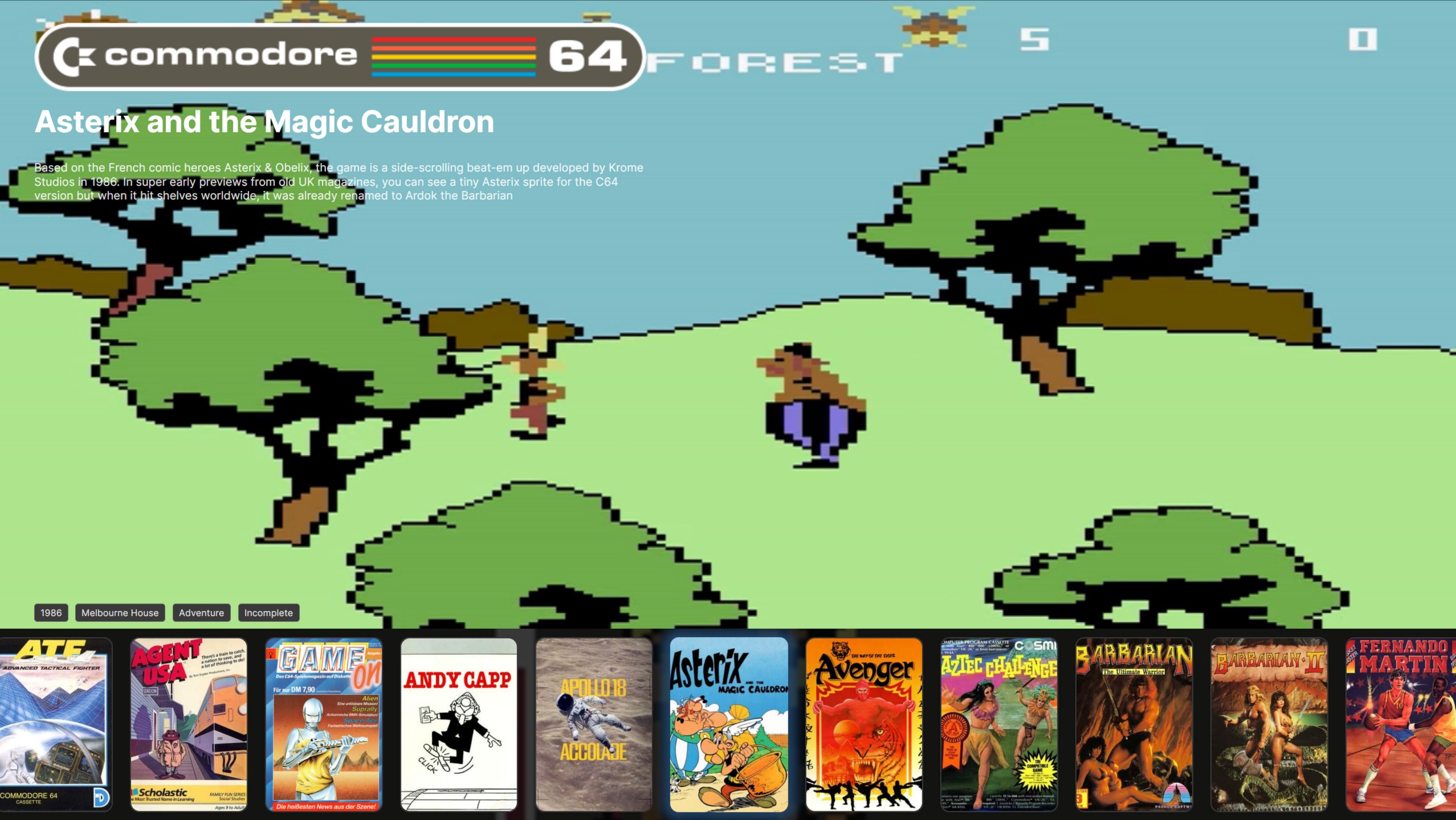
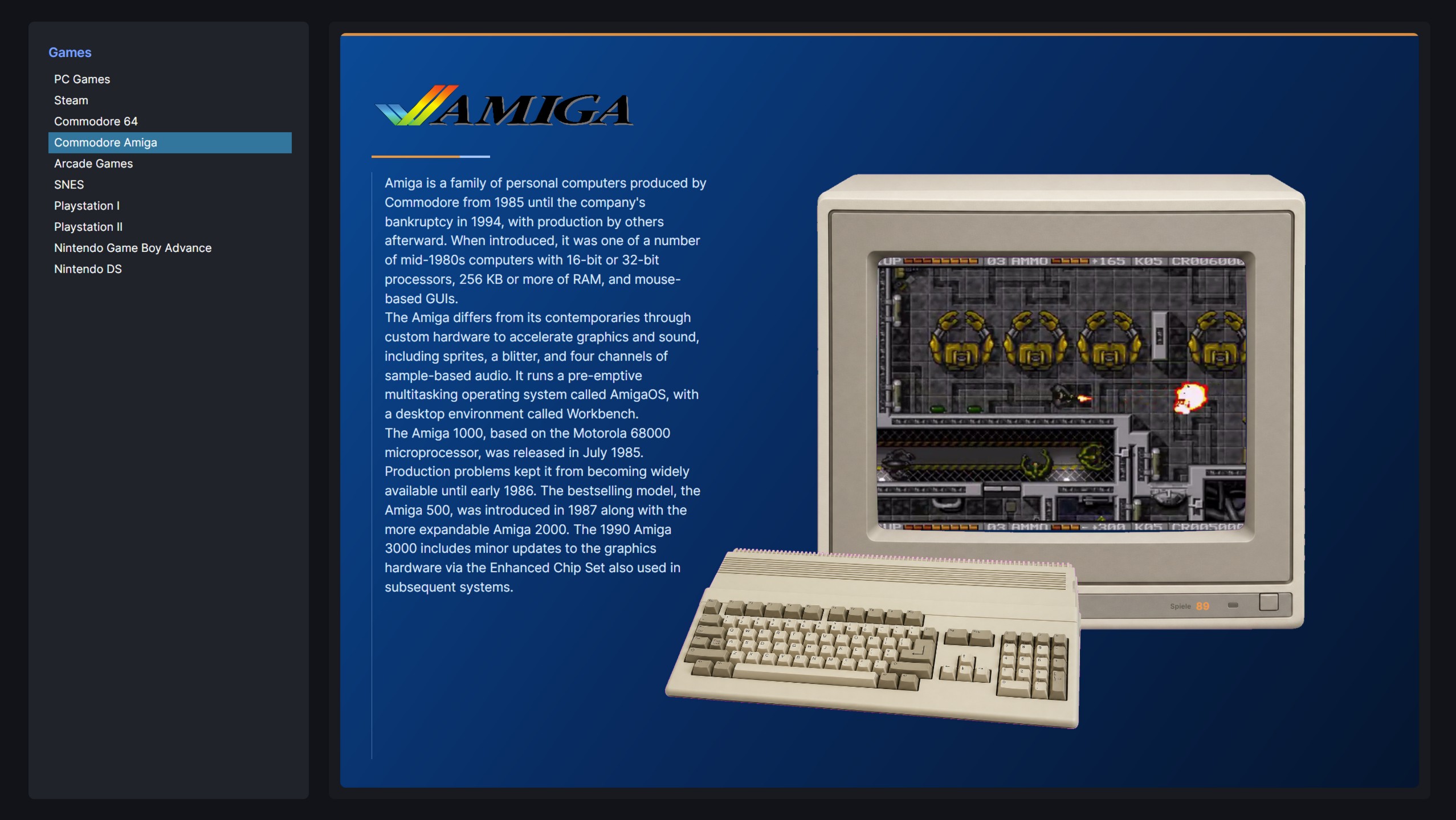
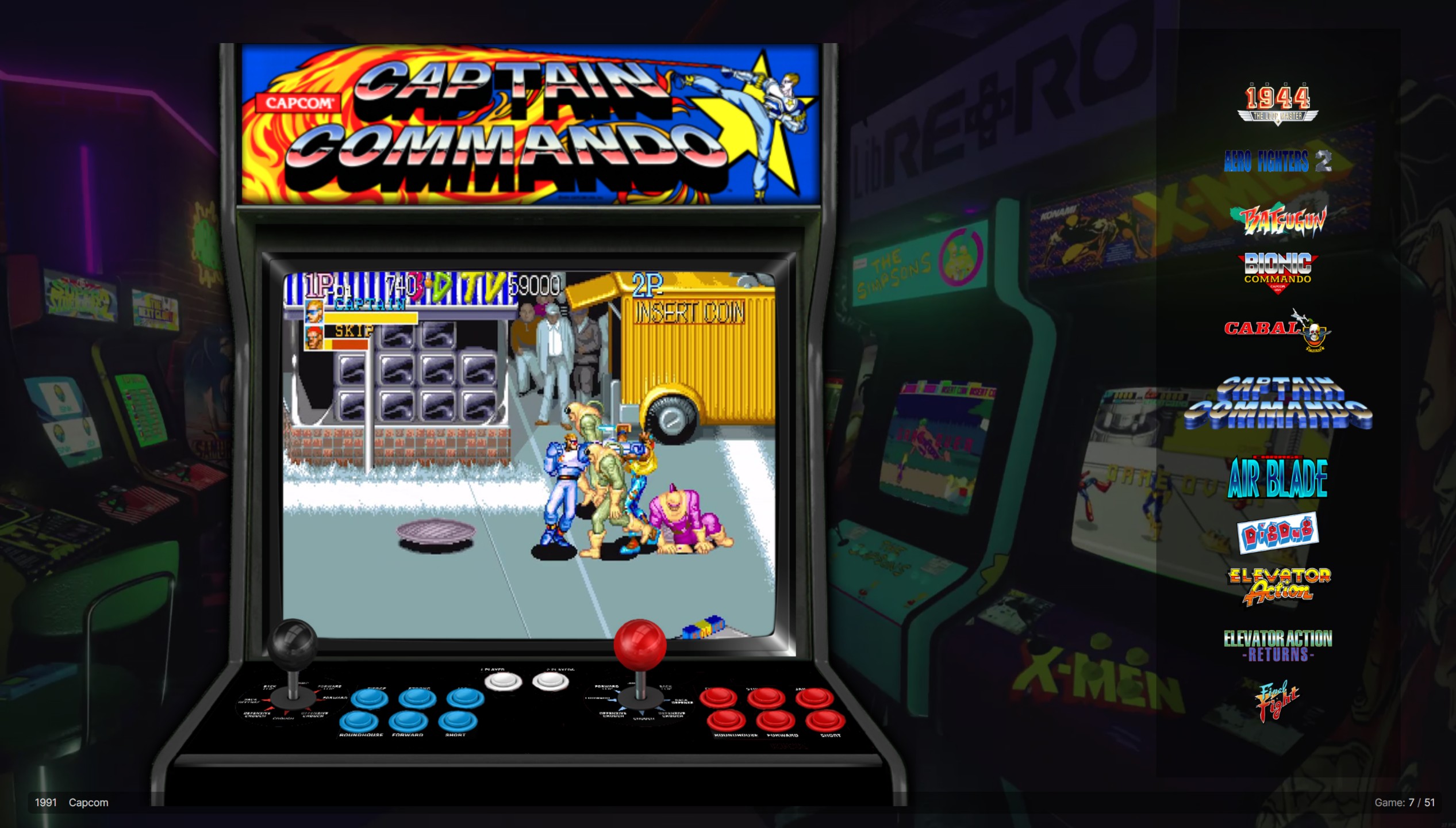
- Desktop and controller-friendly BigMode interfaces with video previews and customizable runtime themes
- Flexible game launching for native applications, scripts and emulators, including Wine, Proton, UMU, wrappers and environment overrides
- Metadata and artwork scraping from multiple providers with bulk processing and per-field import decisions
- Library discovery and filtering through global search, favorites, saved filters and an optional metadata query language
- Interactive library statistics for play time, launches, progress, rankings and metadata distributions
- Smart local imports with multi-disc recognition and optional playlist launching
- Store integration for Steam and Heroic imports plus experimental native GOG library, installation, update and uninstall support
- Managed compatibility runners, including direct GE-Proton downloads and reusable emulator profiles
- Experimental RetroAchievements integration with ROM/disc identification, achievement badges, cached progress and separate Casual/Hardcore summaries
Retromind is open source under the GPL-3.0-only license and developed in public on GitHub.
RetroAchievements support has not yet been broadly tested across the many supported systems, game-file formats, and emulator configurations. Compatibility reports are welcome while the integration remains experimental.
Portability
The directory containing the AppImage acts as Retromind’s portable data root. Library files, settings and themes stay together, while launch paths inside that directory can be stored relatively. An optional portable HOME/XDG mode is available for Retromind itself, with separate overrides for launched programs.
External games, emulators and launchers may still depend on host drivers, packages, accounts or services. See the README for the complete portability model.
Screenshots
Note: The screenshots are for demonstration purposes only.
All product names, logos, and brands shown are property of their respective owners.
Desktop library
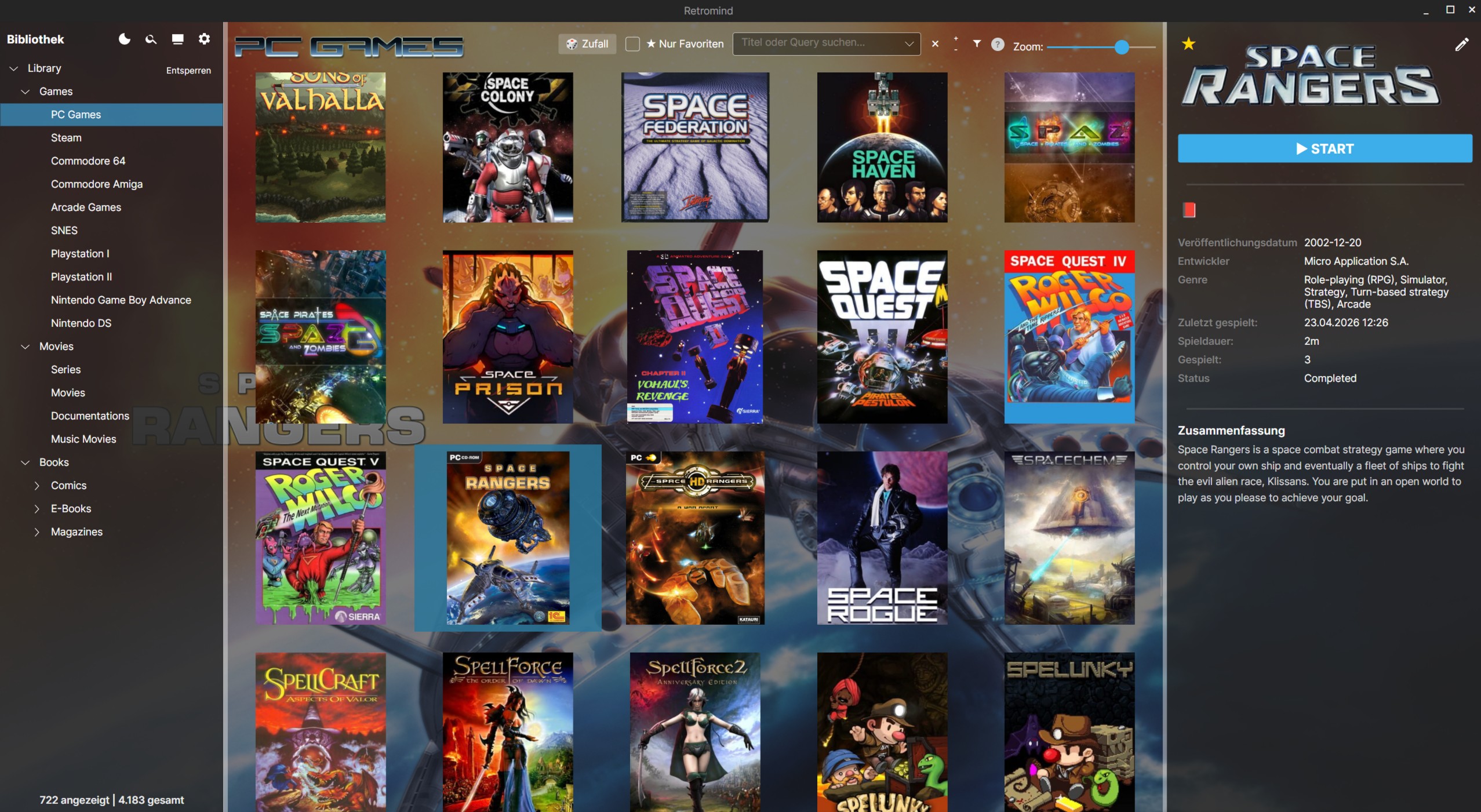
BigMode (controller-friendly UI)
HorizontalRow theme with C64 media
Amiga system theme
Arcade theme
Download
The latest alpha builds are available on GitHub Releases:
Download Retromind-<version>-x86_64.AppImage, make it executable and start it:
chmod +x Retromind-<version>-x86_64.AppImage
./Retromind-<version>-x86_64.AppImage
Start directly in BigMode:
./Retromind-<version>-x86_64.AppImage --bigmode
Native Wayland support is experimental and must be enabled explicitly:
./Retromind-<version>-x86_64.AppImage --avalonia-platform=wayland
Without this option, Retromind keeps the stable X11/XWayland default.
The matching .AppImage.zsync asset is metadata for compatible delta-update tools and is not required for
a normal installation.
AppImage requirements
- Linux x86_64 with glibc 2.36 or newer
- X11/XWayland desktop session by default; native Wayland is available as an experimental opt-in
The AppImage bundles .NET, LibVLC and its required helper tools. It does not require the host libfuse2
userspace library; normal mounting still needs Linux kernel FUSE support, while extract-and-run remains
available as a fallback.
Build from source
Requirements:
- .NET SDK 10.0
- C compiler (
cc, GCC or Clang) for the bundled rcheevos/libchdr hash library - Linux with an X11/XWayland or Wayland desktop session
- VLC / LibVLC runtime
Basic usage:
dotnet restore
dotnet run --project Retromind.csproj
Start directly in BigMode:
dotnet run --project Retromind.csproj -- --bigmode
To opt into native Wayland when running from source:
dotnet run --project Retromind.csproj -- --avalonia-platform=wayland
For AppImage build instructions, configuration details, tests and the complete feature documentation, see the repository README:
https://github.com/Dark574/Retromind
Contributing
Contributions are welcome!
Please read:
before opening issues or pull requests.
Bug reports and feature requests can be submitted through the issue tracker.
License
Retromind is licensed under GPL-3.0-only.
See the full license text here: